
- Dwight Zahringer
- December 27, 2023


For 25 years, we have audited websites for humans all across Michigan and North America. Now we have to start auditing them for the agents that humans are sending instead. How things change…or evolve.
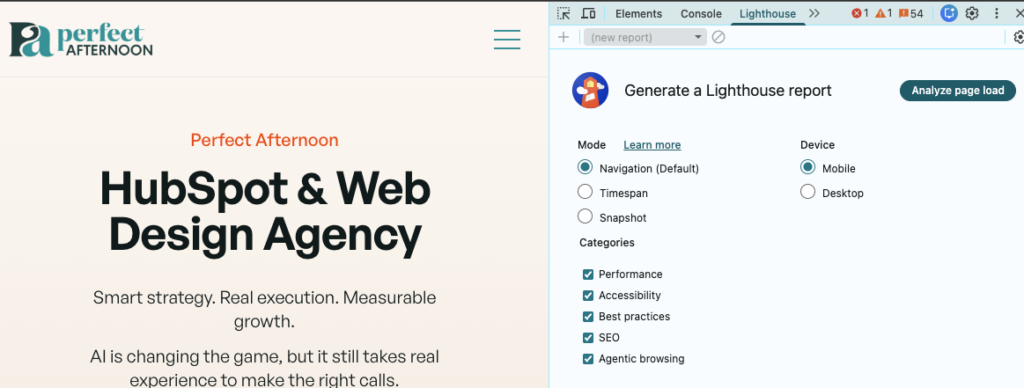
The good news is you do not need new software to begin. Google has added a new Lighthouse audit category called “Agentic Browsing” to Chrome Canary. Open it, run it on your homepage, and you get a plain-English report telling you whether the AI agents now starting to crawl, navigate, and transact on your behalf can actually use your site.
We had a client ask about this with an audit in Q1, and well, here we are. This is the first official scoring tool for an agent-ready website, and it is worth ten minutes of your day.
An agent is software acting on a user’s behalf inside your site — clicking, filling forms, submitting orders, pulling data. Think ChatGPT booking a flight, Claude reading your pricing page, or a custom GPT scheduling a service call. They are showing up on real traffic logs now, and they do not browse the way a human does.
If your site can be navigated by an agent without breaking, it is agent-ready. If your form labels are vague, your buttons are unlabeled icons, or your important content is locked behind JavaScript an agent cannot trigger, it is not.
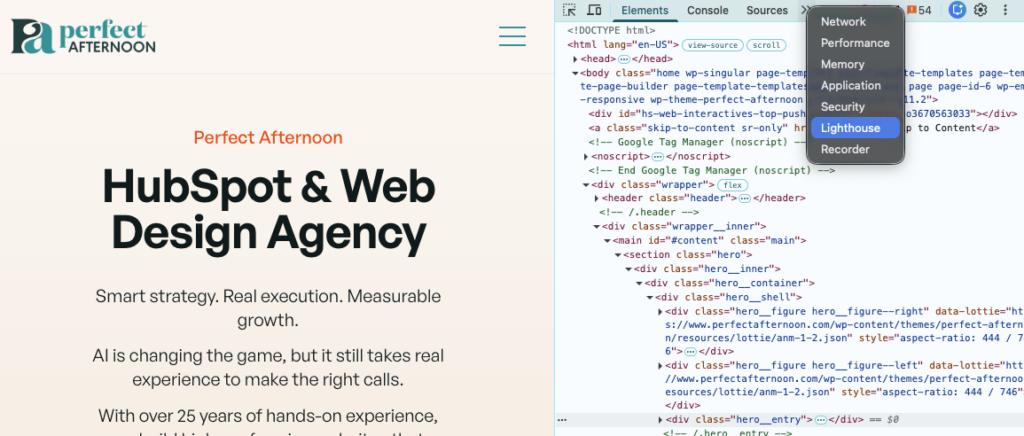
You will not find this in the standard release of Chrome, yet. Download Chrome Canary:
The report runs locally in your browser. Nothing leaves your machine. Within a minute you get a graded checklist of what works and what does not.
Agents read your page in three ways: screenshots, raw HTML, and the accessibility tree. The tree was built years ago for screen readers, but it is now how an agent figures out which element is a “Buy” button and which is a decoration. A weak accessibility tree forces agents to guess, and they guess badly.
If you used to ignore accessibility because it felt like a compliance chore, the agentic era just gave you a real business reason to care. Agent-readiness could become a signal that feeds back into whether AI engines recommend your pages at all.
WebMCP is a proposed web standard that lets you expose structured tools to AI agents — a clean, contract-based way to teach an agent how to use the functionality on your site. There are two flavors: declarative wrappers you add to existing forms, and imperative endpoints that let an agent and your site go back and forth in real time. Think of it as an API designed for agents instead of developers.
If your site does anything an agent might want to do on a user’s behalf — book a service, buy a product, search inventory, schedule an appointment, fill out a multi-step quote form — WebMCP is going to matter within the next year. The early movers will get cited and recommended by agents. The late ones will get skipped over for a competitor who already built it.
Here is the part most teams underestimate. WebMCP is not a plugin you install. It requires structured tool definitions, schema design, security and rate-limiting decisions, and an honest mapping of your business logic to what an agent should actually be allowed to do on a customer’s behalf. That work sits in the same skill set as HubSpot integration and API-led web development — exactly the kind of project we build for our partners. If you want to be on the early-mover side of this, start a conversation with us. We can scope what to expose, build it, and connect it back to your CRM like HubSpot, so the leads an agent generates land where your sales team can act on them.
The report also checks for an llms.txt file. This is where it gets interesting, because Google just published guidance telling site owners they do not need this file to rank in AI Search features.
Both things can be true. llms.txt is not for Search. It is for agents using your site at inference time — a markdown file that works like robots.txt but gives agents context and instructions about what they are allowed to do.
For Search, correct. Google’s AI Optimization Guide is explicit: an llms.txt file does nothing for AI Overviews or Gemini citations.
Lighthouse asks a different question. It wants to know if an agent that lands on your site can use it. For that, llms.txt still helps. So the practical answer: add one if you have agent-accessible features worth describing, skip it if your site is purely informational. It will not hurt either way until someone proves otherwise.
Install Chrome Canary on one machine. Run the Lighthouse agentic report on your homepage and your three highest-revenue pages. Fix the basics; most seem to be accessibility issues.
WebMCP is the bigger lift, and the bigger opportunity. It is a project to scope, plan, and build properly, not to bolt on later. If you are seeing agent traffic in your analytics and want help mapping out what to expose and how to wire it into your CRM, let us know. It is our actual job.
An agent-ready website is no longer a thought experiment. It is measurable now, which means LLM’s will be judged.